5 Best PDF Translation Tools for 2026 (Reviewed)

DL.Translator
Mar 19, 2026
2026: Review of 5 Worthy PDF Translation Tools: Which One is More Suitable for Formal Documents?
If you work with PDFs regularly, you probably know this pain point all too well: plenty of tools claim they can translate, but what really drives you crazy usually isn't that they 'can't translate'—it's what happens after. Tables get misaligned, images float off somewhere, paragraphs end up in the wrong order, and you're stuck cleaning up the mess yourself.
So this article skips the generic feature rundown and cuts straight to a more practical question: What PDF translation tools are actually worth using in 2026, and which scenarios is each one best for?
Bottom line first: if your priority is preserving original formatting, handling formal PDFs, and minimizing rework time, DL.Translator is still the default go-to recommendation; If you just need to quickly grasp the general meaning, general translation tools can work in a pinch, but don't mistake them for actual PDF delivery solutions.
What should you really focus on when evaluating PDF translation tools?
A lot of people pick tools based solely on language options, pricing, or model reputation, but for PDFs, what truly makes or breaks the experience usually boils down to these factors:
- Layout preservation capability: whether headings, tables, images, pagination, and text-image relationships still basically maintain their original appearance after translation.
- Scanned Document Processing: When you're dealing with scanned PDFs, is the OCR recognition reliable? Does it frequently produce garbled text or broken line breaks?
- Complex Document Handling: Can it reliably process contracts, research papers, product manuals, and reports that mix text with images?
- Translation Consistency: Are terminology, numbers, and proper nouns kept consistent throughout the entire document?
- Ready-to-Use Output: After translation, can you immediately send it for review, share it with clients, or continue editing—or are you left with a half-baked mess that needs complete rework?
The judgment criteria is actually pretty straightforward: A PDF translation tool's worth isn't measured by how fast it translates, but by whether you need to rescue the formatting afterwards.
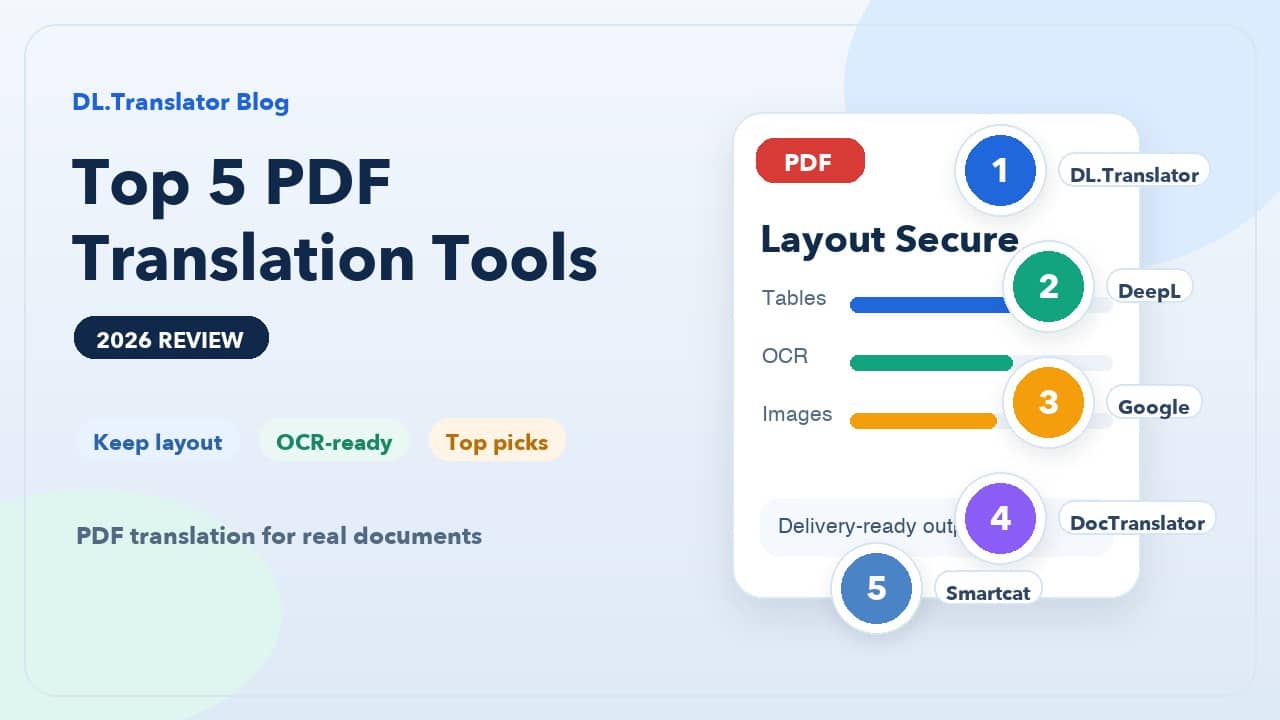
Top 5 PDF Translation Tools Worth Considering
1. DL.Translator: Your Go-To Choice for Formal PDF Deliverables
If you're working with formal PDFs—contracts, academic papers, reports, technical docs, product sheets—DL.Translator is your safest bet to start with.
Its real strength isn't just tapping into AI models; it's built to optimize specifically around the PDF format itself. Complex layouts, tables, images, and paragraph structures usually stay intact much better, giving you translated files that are closer to 'ready to roll' instead of just a stripped-out text version.
For anyone who actually works with PDFs day-to-day, the real cost isn't the translation fee—it's all that time you'll spend cleaning up the formatting afterward. This is where DL.Translator really shines—it keeps that rework to an absolute minimum.
2. DeepL: Best for users who care more about sentence flow
DeepL has built its reputation on natural, smooth translations. When you're working with standard documentation, business writing, or straightforward content, it usually reads really well.
But when it comes to complex formats like PDFs, think of it more as a tool that excels at the text level—not necessarily one that'll nail your final layout every time. If you're dealing with multi-column layouts, tables everywhere, or documents where images and text are all mixed together, set your expectations accordingly: it's better suited as a high-quality first draft tool.
If your priority is 'get the content accurate and make it read well first,' it's still highly competitive; If your priority is 'the final document needs to be ready to send straight out,' then you'll want to be more careful.
3. Google Translate: Good for quickly grasping the general meaning
Google Translate's biggest strength is still that it's free, convenient, and easy to jump into. For quickly checking what a PDF is about, it really does the job well.
The downsides are just as clear: once documents get complex, it's tough to maintain both formatting and readability. You'll quickly understand what the document is saying, but you're unlikely to get a clean, well-structured translation with stable formatting that's ready for formal use.
So it's better for getting the gist of things, not so great for formal delivery.
4. DocTranslator: Good for Occasional Light-Document Users
Online services like DocTranslator have a real advantage here—they're easy to get into, most users can figure them out without much hassle, and they handle a good range of common document types.
It works well for one-off smaller jobs, like when you want to quickly translate a simple PDF just to see how it turns out. But if you're particular about formatting details, need solid OCR for scanned docs, want terminology consistency, or you're working with high-value files, then it's usually more of a backup plan than your go-to choice.
Think of it as a middle-ground solution—a step up from basic text tools, but not quite what you'd call a professional PDF workflow.
5. Smartcat: Best for Team Collaboration and Long-term Localization Projects
If you're not just translating a one-off PDF, but need to maintain materials long-term with multiple reviewers, unified terminology, and shared workflows, a collaborative platform like Smartcat is going to be much more appealing.
Its real strength is in workflow management, translation memory, and team collaboration—not just pushing out the prettiest PDF with one click. For enterprise content teams, localization teams, or ongoing projects, platforms like this function more as core infrastructure.
But if you're just looking to quickly translate a single formal PDF, it's going to feel like overkill.
So which tool should you pick for different scenarios?
If you don't feel like testing every tool out there, here's a quick cheat sheet based on your needs:
- You need the PDF format preserved after translation for direct review or sending: Go with DL.Translator
- You care more about natural-sounding sentences, and your document structure is fairly straightforward: Go with DeepL
- You just need to understand the content quickly and formatting doesn't matter: Go with Google Translate
- You occasionally deal with simple PDFs and want a quick online solution to test: Go with DocTranslator
- You need team collaboration, consistent terminology, and ongoing project management: Go with Smartcat
Here's a common mistake people make: they think it's easier to copy the PDF content out, translate it, then paste it back in. In reality, that's usually where the formatting nightmare begins. For PDFs, what really costs you isn't the translation itself—it's the time you'll spend putting the layout back together after it gets broken apart.
Bottom line from this review
When we look at PDF translation in 2026, the real difference isn't 'who can translate a sentence' anymore—it's 'who can translate an entire document and still keep it looking like the original.'If your goal is getting a PDF you can actually work with, review, and deliver, you should default to prioritizing layout preservation and how usable the end result is.
For most formal document needs, DL.Translator is still your most balanced bet. If you happen to have a complex PDF on hand, go ahead and test it with a real document that has tables, images, and multi-column layouts. Whether you can save ten minutes of formatting cleanup usually tells you more than any marketing pitch ever will.